
Keep Cleaners supplied, plant trees around industry, and clear Toxic Areas with Toxic Tile Scrapers. In Beyond These Stars, pollution collects on tiles around industrial buildings, so start with the polluting buildings in your production area. Keep their by-products moving too: a blocked production chain can cut off the Soot your Cleaners need.
How do you clear toxic waste in Beyond These Stars?
Clear existing Toxic Areas with Toxic Tile Scrapers; Cleaners work on polluted tiles before they turn toxic. A tile becomes toxic after staying at High or Very High Pollution for fifteen minutes. Peeps refuse to work in buildings on Toxic Areas or gather resources there, so leaving the mess alone can shut down the jobs you need.
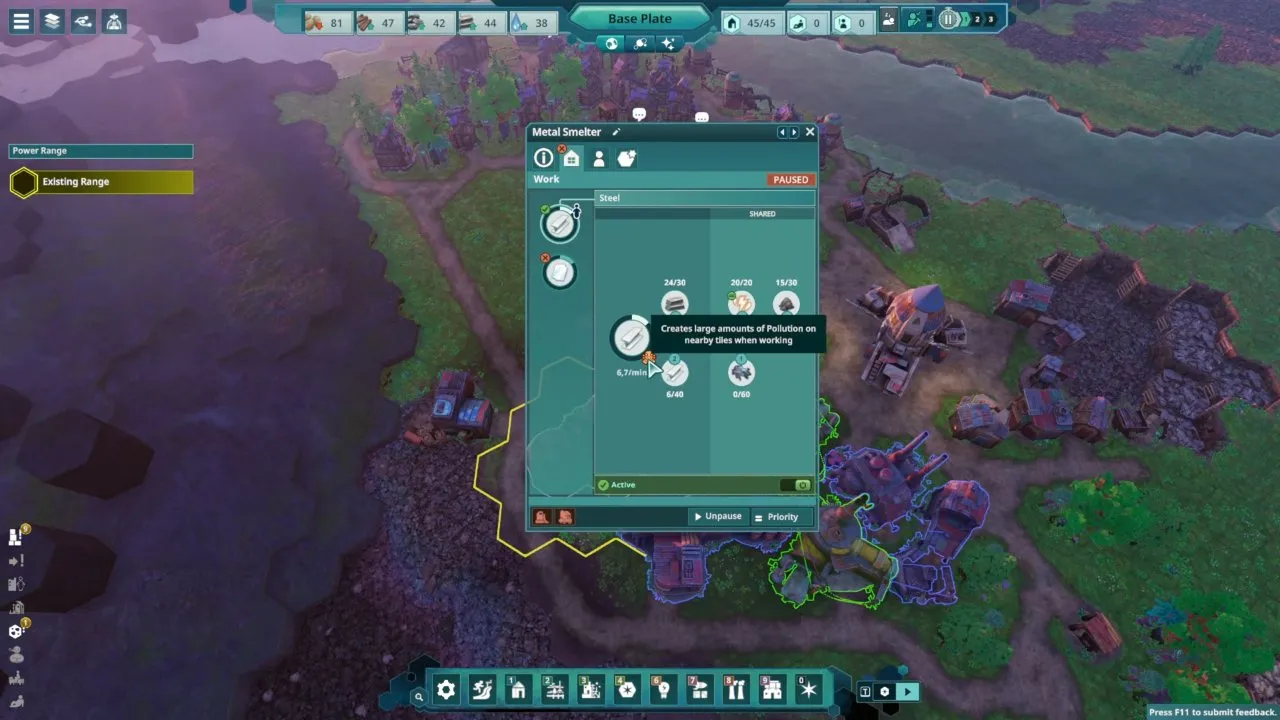
Select an industrial building and look for its pollution marker. The Metal Smelter's tooltip warns that it creates large amounts of pollution on nearby tiles while working.
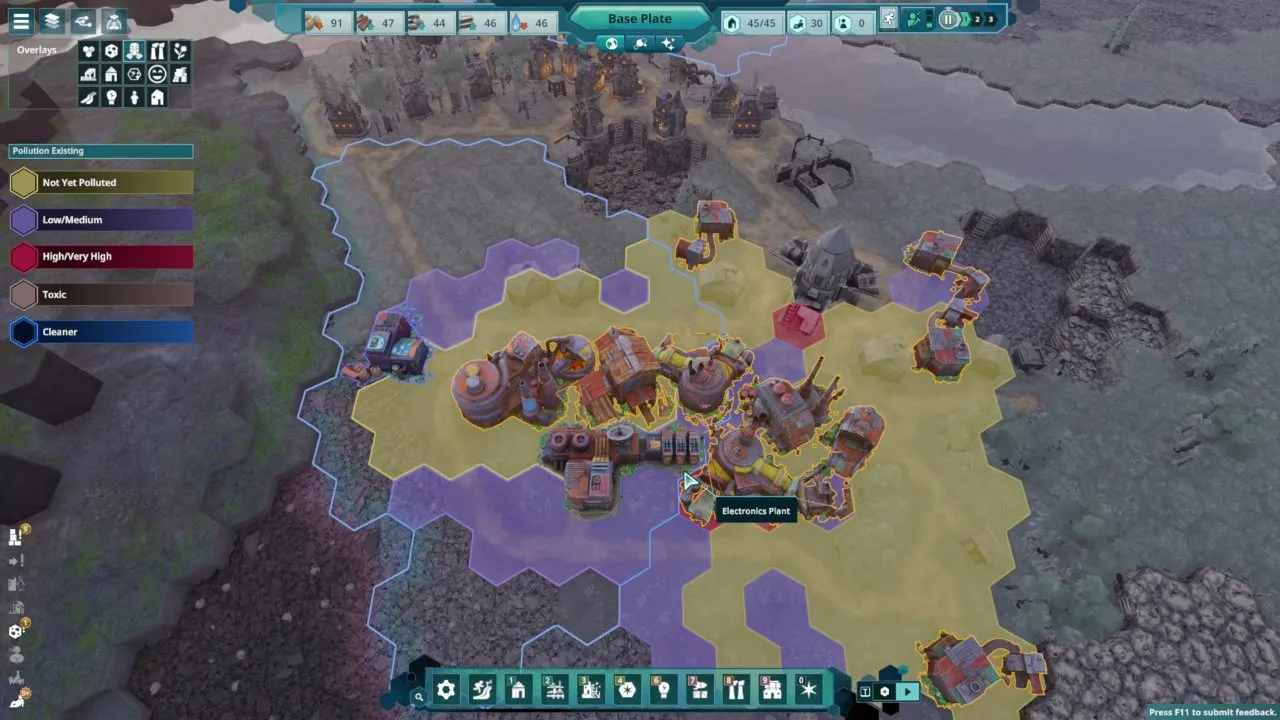
Open the Pollution Overlay to find the affected tiles. Its legend separates Low/Medium, High/Very High and Toxic, with Cleaner coverage outlined in blue. Treat a High/Very High patch as a reason to act before it becomes a Toxic Area.
Planting trees helps prevent pollution from building up. For an existing Toxic Area, use a Toxic Tile Scraper; composting the ground is preparation for planting trees.
How do you prevent pollution around industry?
Plant forests close to industry and keep the polluted tiles covered by working Cleaners. Forests slowly absorb pollution within 4 tiles, giving you a passive way to manage it alongside active cleaning.
When buildings have no positive adjacency effect, leave a tile between them and plant trees in the gaps and around the cluster. That gives up some building space, but puts pollution absorption beside the source. Keep useful positive adjacency bonuses when planning those gaps.
- Expand water into the area so plant life can survive.
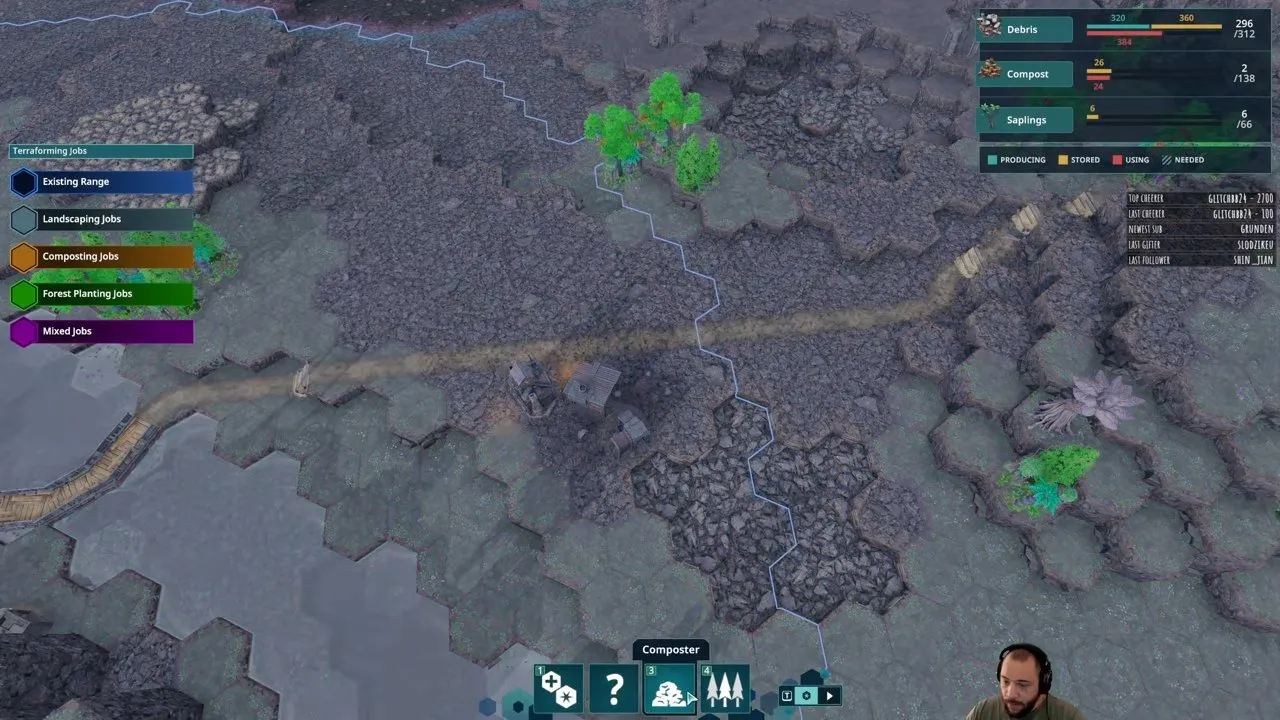
- Select the Terraformer's Composter mode and create jobs on the ground you want to plant.
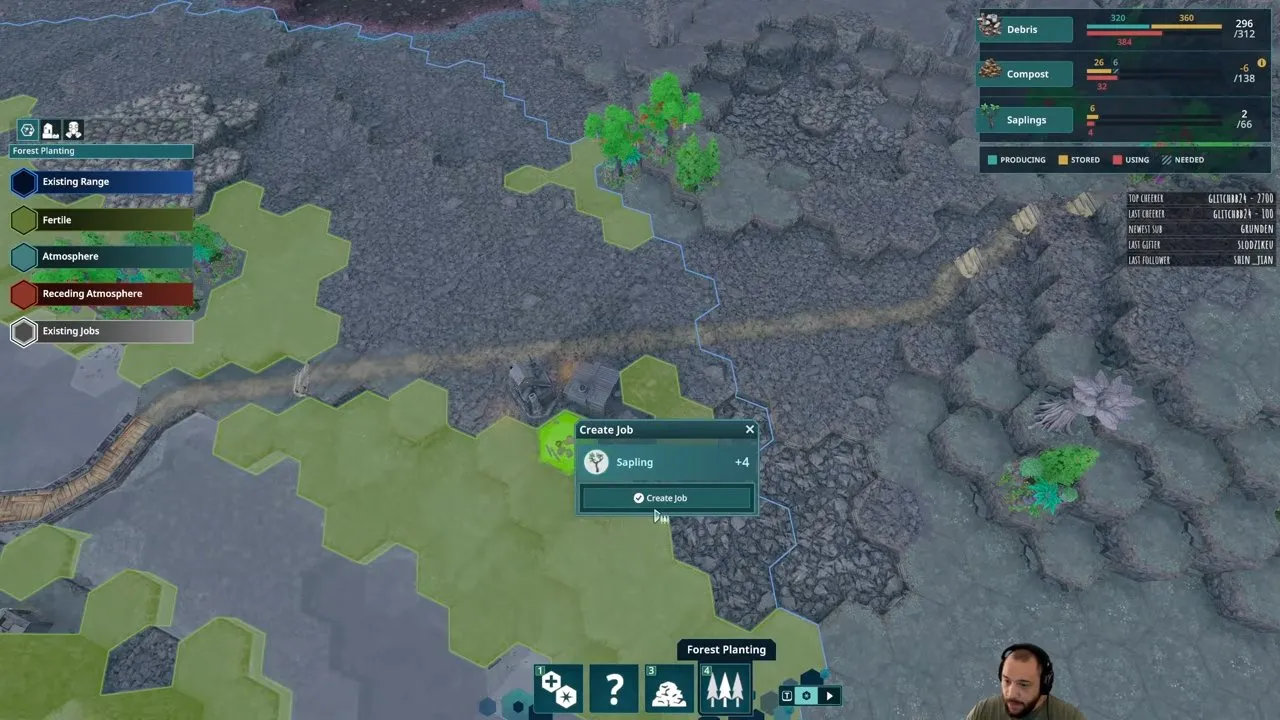
- Through the Tree Nursery, assign sapling planting jobs on the prepared ground. The planting interface shows Sapling and a Create Job button.
If you don't need an industry's output immediately, pause it while you get the area under control. One player handled a toxic warning by halting the building, preparing the surrounding ground and assigning saplings before restarting production. For the water and planting work, follow Beyond These Stars terraforming.
Why is your Cleaner missing input?
Check its recipe and resource supply: the early Soot cleaning route needs a steady supply from your production chain. A Cleaner with MISSING INPUT cannot keep pollution under control just because its coverage reaches the dirty tiles.
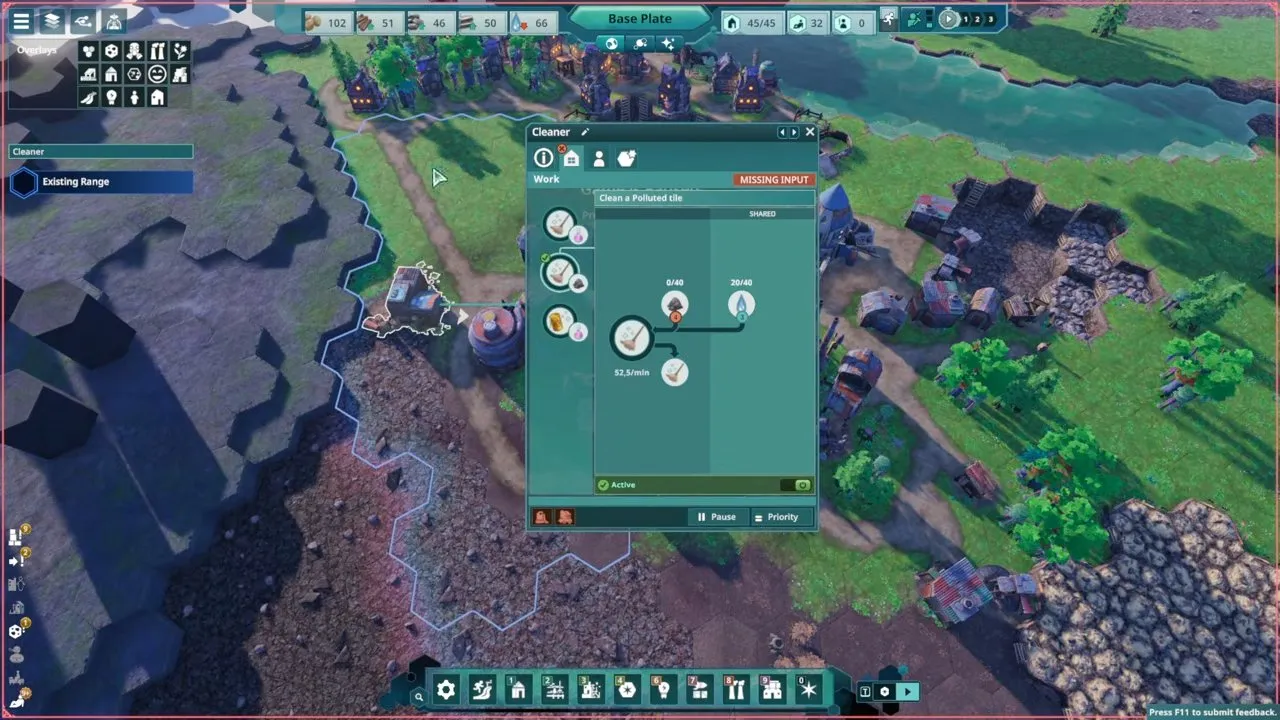
Check the resource flow screen before adding more industry. Burner Generators and Ore Smelters can provide extra Soot; the Ore Smelter produces it alongside Iron. If needed, Power Settings → continuous power keeps power running to produce Soot. Keep storage available for the other outputs so your Soot supplier can continue working.
Soot is not the only cleaning route: Chemicals can also be used as an alternative. Follow the recipe available to your Cleaner. Raise its work priority when pollution needs attention, and relocate Cleaners to cover mining areas when necessary. For a closer look at positioning and input problems, see Beyond These Stars cleaners.
Why does waste stop your production buildings?
A full by-product store stops production even when the main product still has room. Fix that storage blockage before it starves another building of inputs.
| Problem | What to do | Why it matters |
|---|---|---|
| By-product storage is full | Place a Storage Shed near the producer or consumer | The building needs room for every output |
| Slag is blocking smelting | Allocate storage for Slag | Clearing the blockage lets smelting resume |
| Soot production has stopped | Check the supplier's outputs and resource flow | Your Cleaner depends on the chain staying active |
A Storage Shed holds up to four different resources, 20 units each. Add storage as a temporary buffer while you work toward consuming those by-products. Keep it close to where the resources are made or used.
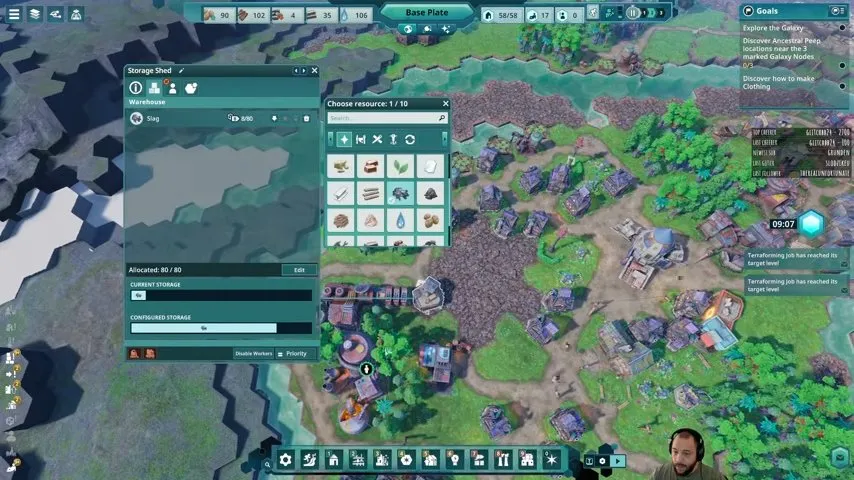
If the chain still stalls after the shed is built, work through Beyond These Stars no output space before expanding production. More machines won't solve a full output store.
How does pollution affect Kewa's health?
Toxic Areas damage Kewa's biome; check the Galaxy Map health bar for purple sections. Yellow marks health you can recover by improving the biome.

Reduce pollution, plant trees and create rivers around your settlements to improve Kewa's wellbeing. Better health also restores energy faster, so this work helps your city and your next journey.
With toxic tiles cleared, by-products moving and Cleaners supplied, your Peeps can return to affected jobs. Next, check Beyond These Stars Kewa to understand the rest of the health and travel needs behind that status bar.